Turn any meeting recording into organized notes, key takeaways, and action items in seconds with our free AI meeting note taker.
PDF, DOCX, PPTX
An AI Meeting Note Taker is an intelligent tool that automatically captures, transcribes, and organizes your meeting content into clear, structured notes — without you lifting a pen. Simply upload a meeting recording or paste a link, and the AI identifies key discussion points, decisions, action items, and important takeaways. Unlike traditional note-taking that forces you to choose between listening and writing, an AI meeting note taker handles documentation so you can stay fully engaged in the conversation.
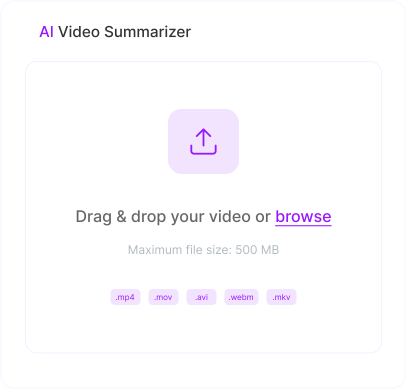

Capture daily standups, sprint reviews, and team syncs automatically. Get clean notes with decisions and action items so your team stays aligned.

Never miss a client request or commitment again. The AI meeting note taker extracts key discussion points, next steps, and follow-up items from every client conversation.

Upload your Zoom recordings or paste the cloud recording link. Our AI processes the full meeting and delivers structured notes covering every agenda item and decision.

Turn Teams meeting recordings into organized notes with action items and key highlights. Perfect for enterprise teams running their workflow through Microsoft 365.

Paste your Google Meet recording link or upload the file. Get detailed meeting notes that capture everything discussed — ideal for teams using Google Workspace.

Summarize company-wide meetings and leadership town halls into digestible notes. Share key announcements, decisions, and Q&A highlights with the entire organization.

Upload recordings from Zoom, Microsoft Teams, Google Meet, Webex, or any other platform. Our AI meeting note taker handles any audio or video file format.

Our AI doesn't just transcribe — it identifies the most important discussion points, decisions, and action items. You get structured meeting notes, not a wall of text.

The average professional spends 4+ hours per week on meeting-related note-taking and follow-ups. Our AI meeting note taker reduces that to minutes.

Decisions and action items are highlighted and organized automatically. No more digging through messy handwritten notes to figure out who agreed to do what.
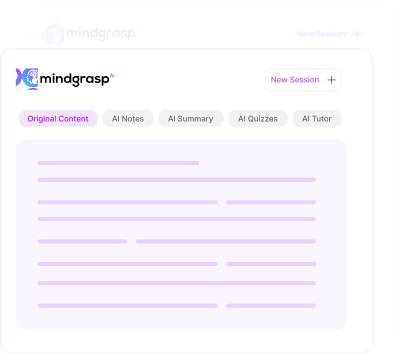
Mindgrasp doesn't stop at meeting notes. It also generates summaries, flashcards, and quizzes from your meeting content — plus an AI tutor that can answer follow-up questions.

Access our AI meeting note taker for free with no hidden charges, no word limits, and no account required. Take notes on as many meetings as you need.
Keep distributed teams aligned with shared, AI-generated meeting notes. Everyone gets the same organized record of decisions and next steps — even if they couldn't attend live.
Summarize sprint reviews, stakeholder meetings, and project standups automatically. Share key takeaways and action items with your team without spending hours on documentation.
Capture every detail from client calls and demos. Review AI-generated notes to track commitments, objections, and follow-up tasks — giving you an edge in every deal.
Turn recorded study sessions, group project meetings, and advisor check-ins into organized notes. Focus on the discussion while the AI handles documentation.
Get concise summaries of board meetings, leadership syncs, and strategy sessions. Stay informed on decisions and action items without rewatching hour-long recordings.
Document client meetings professionally with structured notes. Maintain a searchable record of every engagement — perfect for billing, deliverables, and accountability.
Record lectures on your phone. Use the Chrome extension to pull content directly from Canvas, Blackboard, or any website. Mindgrasp works wherever you do.
Everything you need to know about the product and billing.
Our AI meeting note taker works with recordings from Zoom, Microsoft Teams, Google Meet, Webex, GoToMeeting, and any other platform. Simply upload the recording file (MP4, MP3, WAV, WebM, M4A) or paste the recording link, and our AI handles the rest.
Yes. Upload your Microsoft Teams meeting recording or paste the Teams recording link directly into the tool. The AI will transcribe the full meeting and generate organized notes with key takeaways and action items — making it one of the easiest ways to take AI notes in Teams without installing any bots or plugins.
Absolutely. Paste your Google Meet recording link or upload the downloaded recording file. Our AI processes the audio, identifies key discussion points, and delivers structured meeting notes in seconds — perfect for teams running on Google Workspace.
Yes, our AI meeting note taker is completely free to use with no hidden charges, no subscriptions, and no sign-up required. Take notes on as many meetings as you want, as often as you need.
Our AI uses advanced natural language processing and context analysis to deliver highly accurate meeting notes. It identifies key topics, decisions, and action items with precision — not just a raw transcript, but organized, meaningful notes you can act on immediately.
Yes. When you upload a Zoom recording, our AI doesn't just transcribe — it identifies and highlights decisions, commitments, and action items discussed during the meeting. You get structured notes with clear next steps, ready to share with your team.
The AI Meeting Note Taker is optimized for professional meeting recordings — it prioritizes extracting decisions, action items, and key discussion points from multi-speaker conversations. The AI Video Note Taker is designed for educational and informational video content like YouTube videos and tutorials, while the AI Lecture Note Taker is built specifically for academic lecture recordings with a focus on concepts, definitions, and study-ready materials.
Turn lectures, readings, and links into a complete AI study system in minutes.
Create Free Study Session
 Download iOS App
 Download Chrome Extension